






What Is Document Archive Software? Guide to Electronic Document Archiving
 DEMOCRAZY News
4 September 2026 5:14 pm
.
6 menit membaca
DEMOCRAZY News
4 September 2026 5:14 pm
.
6 menit membaca
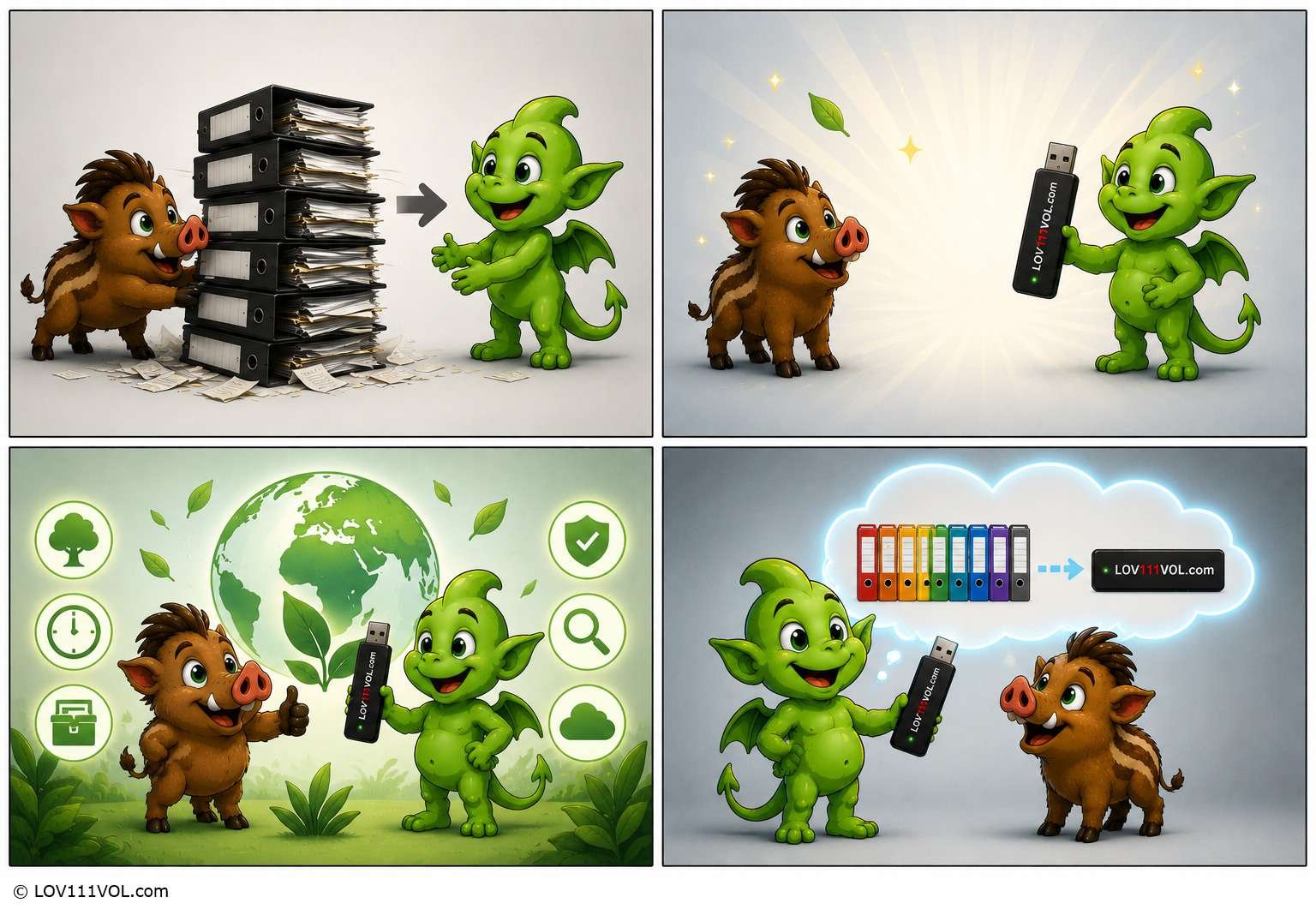
Unlocking Efficiency: The Ultimate Guide to Digital Archiving Systems
In today’s fast-paced digital transformation era, the volume of documents generated by businesses and individuals is increasing exponentially.
From financial invoices and legal contracts to operational reports and customer data, everything is shifting toward digital formats.
However, merely having a large collection of digital files is insufficient if management remains disorganized.
Without a structured system, critical documents are frequently misplaced, vulnerable to security risks, and waste valuable time through manual searching.
This is where document archive software becomes a crucial solution for modern operational efficiency.
Understanding the Core Concept of Document Archive Software
Simply put, document archive software is a specialized software application designed to store, manage, secure, and retrieve long-term digital archives.
Unlike standard cloud storage solutions like Google Drive or Dropbox, which primarily focus on daily file collaboration, electronic document archiving systems feature legal compliance standards, automated data retention schedules, and advanced security layers tailored for records that are infrequently accessed yet legally required to be retained.
The Evolution from Physical Rooms to Virtual Vaults
Historically, companies relied on massive warehouses filled with steel filing cabinets to store paper records.
While functional decades ago, this approach is entirely unsustainable in modern fast-moving business environments.
Utilizing electronic document archiving software allows organizations to transform physical paperwork into digital assets via scanning and index them systematically.
Through this approach, historical and vital company documents are safely secured in a centralized digital vault, ready for instant retrieval whenever needed, eliminating physical spatial limitations altogether.
Key Features to Look for in a Digital File Manager
When selecting or evaluating a digital archive system, several core features must be prioritized to ensure the software investment delivers optimal productivity for business operations:
-
Advanced Search & OCR: Enables users to search for documents based on specific keywords inside the text content, powered by Optical Character Recognition (OCR) technology, converting scanned image text into searchable machine-readable data.
-
Role-Based Access Control and Security: Ensures that sensitive documents are strictly viewed, edited, or managed only by authorized personnel based on hierarchical corporate permissions.
-
Automated Retention Policies: Built-in rules to determine how long documents must be stored according to regulatory mandates, automatically purging them once the retention period expires to reduce digital clutter and legal exposure.
-
Audit Trail: Transparent digital logs tracking every instance a document is accessed, downloaded, edited, or shared, providing absolute accountability across departments.
-
System Integration: Seamless connectivity with other software ecosystems such as enterprise resource planning (ERP) platforms, customer relationship management (CRM) tools, or LOV111VOL Office Digital to maintain smooth, uninterrupted information flow across your tech stack.
Strategic Benefits of Implementing an Electronic Archive System
Adopting modern archiving technology delivers profound impacts on business efficiency and security across organizations of all scales.
Here are the primary advantages:
1. Time Efficiency and Enhanced Productivity
Employees often waste countless hours sifting through physical filing cabinets or navigating disorganized computer folders.
Studies show that knowledge workers spend a significant portion of their day searching for information.
By implementing document archive software, targeted documents can be located within seconds through accurate keyword searches, freeing up valuable work hours for core business growth initiatives.
2. Superior Data Security and Protection
Physical documents are highly vulnerable to environmental disasters such as fires, floods, or accidental loss.
Conversely, poorly managed digital files face constant threats from ransomware attacks, malware, or internal data breaches.
Professional archive software incorporates high-level encryption protocols, multi-factor authentication, and automated cloud backups to safeguard organizational information assets against catastrophic losses.
3. Operational Cost Reduction
Maintaining office space for physical filing cabinets, purchasing endless reams of paper, buying printer cartridges, and allocating manpower for physical archive management heavily burdens corporate budgets.
Shifting to digital systems drastically cuts these recurring expenses, paving the way for a true paperless office environment that benefits both the corporate bottom line and global environmental sustainability.
4. Legal Compliance and Simplified Audits
Many industries are governed by strict regulatory laws concerning financial and legal record retention, such as tax laws, labor regulations, and industry-specific compliance frameworks.
Digital archive systems help companies effortlessly comply with these mandates through precise retention schedules and transparent audit logs, ensuring businesses remain fully prepared for sudden regulatory inspections.
Challenges in Migrating to Digital Archives
Despite offering extensive benefits, transitioning from conventional archives to a digital system presents unique hurdles that organizations must proactively navigate.
Common challenges include:
- Employee Resistance to Change: Staff accustomed to manual processes and physical paper may hesitate or struggle to adopt new digital technology.Comprehensive, continuous training programs are essential to bridge this adoption gap and demonstrate daily workflow benefits.
-
Legacy Document Scanning: Converting thousands or millions of legacy physical papers into high-quality digital formats requires substantial time, effort, and meticulous quality control to ensure flawless indexing and prevent data loss.
- Choosing the Right Software: The market offers a wide variety of archiving solutions.Selecting an ill-fitting vendor solution can result in software that fails to match the company’s specific industry workflow requirements, leading to wasted capital and operational friction.
Practical Steps to Kickstart Electronic Archiving
For businesses planning to implement a digital archiving system, the following critical steps outline a smooth, structured transition:
-
Conduct a Document Audit: Inventory all existing corporate information assets, both physical and digital, to gauge overall volume, evaluate file importance, and determine operational urgency.
-
Define Requirements and Budget: Select software capabilities that align directly with business scale, user volume, security needs, and overall financial capacity.
-
Establish Uniform Scanning and Naming Protocols: Set strict Standard Operating Procedures (SOPs) for file naming conventions, folder structures, and scanning parameters to optimize system indexing and long-term searchability.
-
Provide Continuous Team Training: Ensure all system users thoroughly understand how to operate the software securely, adhere to compliance rules, and utilize advanced search tools accurately.
Conclusion
Implementing document archive software is no longer just a passing technological trend, but an absolute necessity for business sustainability in the digital age.
With structured data management, guaranteed security, and instant information accessibility, organizations can operate with greater agility, competitiveness, and efficiency.
Initiating your digital archive journey today represents the ultimate long-term investment for securing your operational future, protecting critical corporate assets, and fostering a streamlined, future-proof work environment.
archive managementbusiness automationbusiness efficiencycompliance managementdata securitydigital archivingdigital file managerdigital transformationdigital vaultdocument archive softwaredocument managementdocument retrievalelectronic archivingelectronic document archivingenterprise archivefile organizationoffice productivitypaperless officerecord managementworkflow automation
Artikel terkait lainnya